eDirStat is Now Available on the Mac App Store
We are ecstatic to announce that eDirStat has officially arrived on the Mac App Store! Following full Apple App Review approval, Mac users can now install our blazing-fast, sandbox…
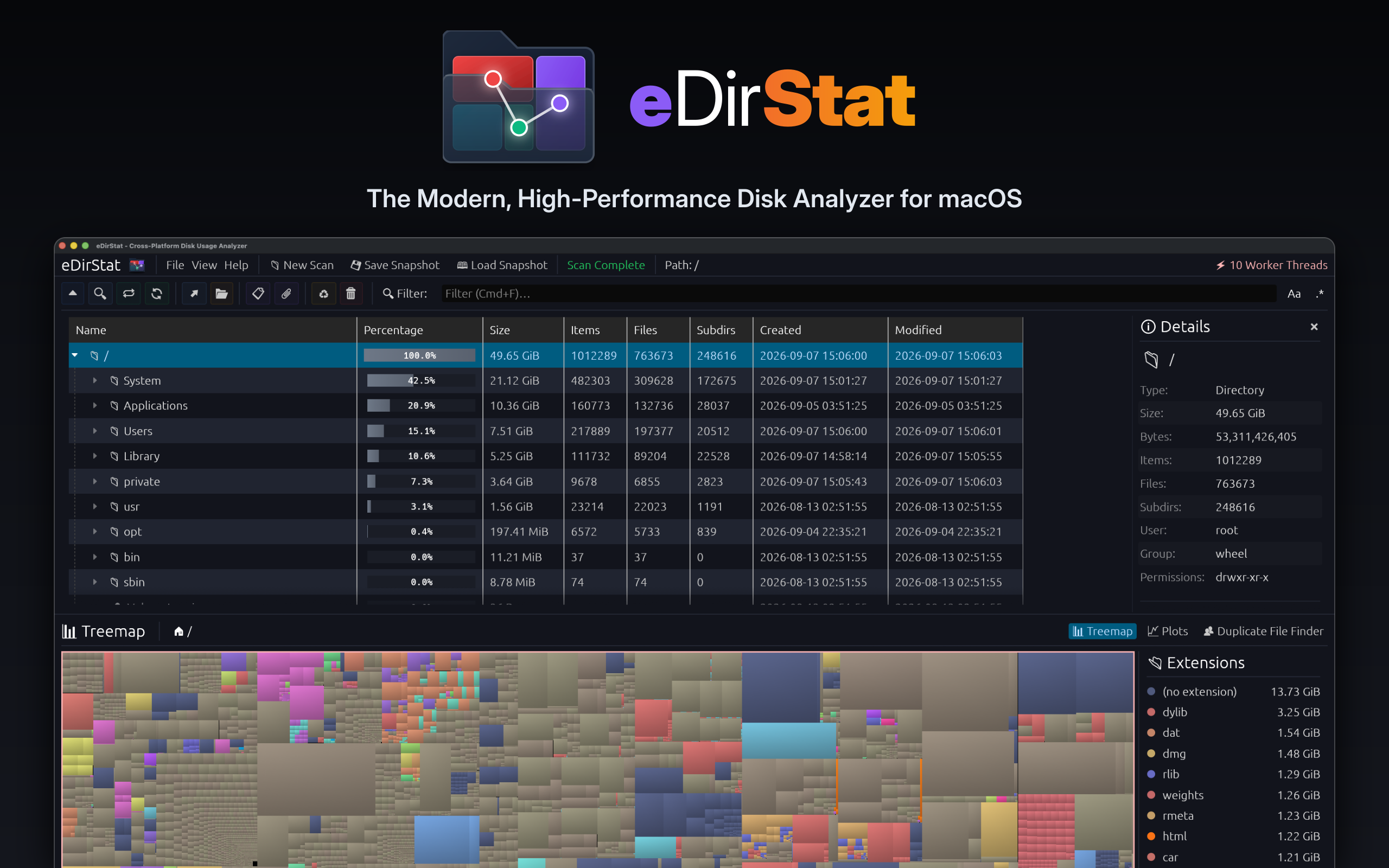
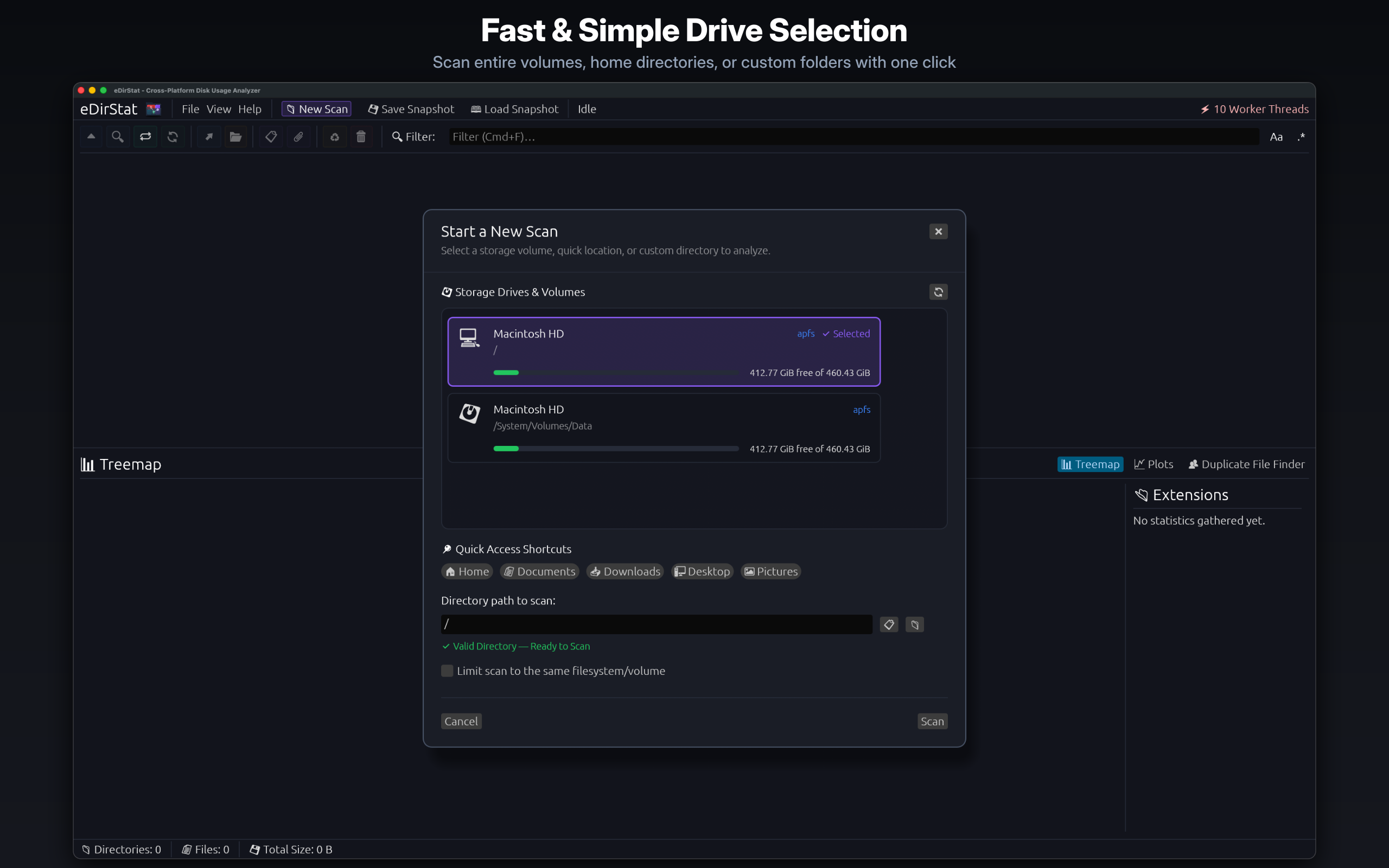
eDirStat is a modern, high-performance, cross-platform disk usage analyzer written in Rust. Coupling a work-stealing multithreaded directory walker with a zero-copy arena data structure to scan millions of files in milliseconds.


Interact with this real-time simulator showing how eDirStat maps and visualizes disk space.
Visualize how eDirStat's 7-stage pipeline isolates duplicate files and calculates reclaimable space without unnecessary disk reads.
Click "Start Scan" to watch candidate files flow through our 7-stage filter system.
| Filename | Folder Path | Size | Reclaimable |
|---|
Real benchmarks comparing directory traversal times on different platforms and filesystems. Select a device drive to see the results.
Watch eDirStat go head-to-head against WinDirStat, WizTree, and other tools in real-time speed comparisons.
A side-by-side speed comparison scanning a large directory structure. Watch how eDirStat's multithreaded directory walker completes the scan in seconds, while WinDirStat lags behind due to single-threaded layout traversal and locking issues.
Comparing raw traversal speed on local SSD storage. eDirStat utilizes advanced work-stealing scheduling to saturate all CPU cores, executing a near-instant walk that matches or exceeds disk-level direct scanners.
Every stage of eDirStat is optimized to eliminate bottlenecks and fully exploit modern hardware.
Powered by a lock-free queue that saturates all available CPU cores. Idle threads steal directory branches to guarantee zero idle core overhead.
Directly accesses raw Windows NTFS handles to parse the Master File Table. Bypasses the OS filesystem abstraction layers for near-instant scanning.
Deduplicates byte-for-byte identical files with minimal disk reads. Filters via size, hashes (prefix, midpoint, suffix), and validates in real-time.
Serializes directory state to a Zstd-compressed flat binary (`.edst` files). Once loaded and decompressed, casts directly via `bytemuck` to eliminate all parsing overhead.
Cycles between layout modes, including interactive treemaps, directory composition charts, duplicate file composition, and timelines.
Select multiple nodes at once in the directory trees or the deduplicator to execute batch trashing, permanent deletions, or folder link creation.
Set up, compile from source, or run eDirStat directly on your operating system.
Run the graphical user interface from your terminal. You can pass a directory path as a positional argument to start scanning immediately:
# Run GUI with default setup
./edirstat

# Run GUI and immediately scan a directory
./edirstat /path/to/scanTo compile eDirStat from source, make sure you have the Rust compiler and cargo nightly toolchain installed:
# Clone the repository
git clone https://github.com/xangelix/edirstat.git
cd edirstat

# Compile optimized release binary
cargo build --releaseDeep dives into architecture, multi-threaded disk traversal algorithms, and release notes.
We are ecstatic to announce that eDirStat has officially arrived on the Mac App Store! Following full Apple App Review approval, Mac users can now install our blazing-fast, sandbox…
eDirStat 2.2.0 brings interactive treemap zoom with breadcrumb navigation, ten new languages (now 18 total) with automatic system locale detection, native file manager revealing, v…
eDirStat 2.1.0 is our biggest quality-of-life release yet — eight languages, four themes, a browser-based snapshot viewer, NTFS MFT scanning on Linux, and a faster v3 snapshot form…
Everything you need to know about eDirStat licenses, security sandboxing, performance, and platform support.
The Mac App Store version runs inside Apple's mandatory App Sandbox, meaning it can only scan files and folders you explicitly grant it access to through the system file dialog — the itch.io version is not sandboxed and can scan any path directly. The App Store version is individually reviewed and approved by Apple and receives automatic updates through the App Store, while the itch.io version is Apple-notarized but distributed directly.
If you purchased the Mac App Store version and need the unrestricted build, email with your receipt and we'll provide the itch.io version at no additional cost — unfortunately, the reverse is not possible, as we cannot issue Mac App Store copies to itch.io customers at this time.
No. eDirStat is 100% offline, privacy-first software with zero telemetry, zero analytics, zero network beacons, and zero crash reporting SDKs. The Mac App Store binary is compiled without any network entitlements, making network access physically impossible at the OS kernel level. Your filesystem hierarchy, folder names, and drive contents remain strictly private on your computer.
eDirStat is engineered in safe, parallel Rust using a lock-free, work-stealing thread pool and zero-copy columnar arena allocations. On Windows NTFS drives, it queries the Master File Table (MFT) directly, bypassing standard Win32 recursive APIs. On macOS and Linux, it uses high-concurrency readdir batches optimized to saturate NVMe queue depths and modern SSD controllers.
Never. eDirStat never modifies or deletes any file without your explicit manual review and confirmation. The Duplicate Hunter identifies identical files using a 7-stage cryptographic pipeline: file size matching, prefix hashing, suffix hashing, sparse sampling, full Blake3 cryptographic verification, safety locks, and journal metadata confirmation. You can review all duplicate clusters in an interactive table and safely reclaim space using either hardlinks or permanent deletion.
eDirStat runs natively across all major platforms:
.edst disk snapshot files directly in your browser with zero installation.Yes. You can scan external hard drives, SSDs, USB flash drives, and mounted SMB/NFS network shares. On macOS, simply drag and drop any mounted volume or folder into eDirStat to grant security-scoped access immediately.
For general bug reports, feature requests, and community discussions, please visit our open-source GitHub Issues page.
For private purchase inquiries, receipt verification, or claiming your complimentary unrestricted itch.io build after purchasing on the Mac App Store, email .
Download on the Mac App Store or get official cross-platform binaries directly on itch.io.
eDirStat is fully open-source. Report issues, request features, or submit pull requests on GitHub.
Visit GitHub Repository